
Listen instead
Three letters that make most small business owners and pastors shut down the conversation: S-E-O. Search Engine Optimization. Say it at a meeting and half the room goes quiet. It sounds technical. It sounds expensive. It sounds like something you need a degree to understand.
Most explanations don’t help. They pile on terms like “SERP,” “domain authority,” “crawl budget,” and “canonical tags” until the whole thing feels like a foreign language. So let’s skip all that and start from the ground up.
SEO is this: making your website findable by the people who are already looking for what you offer. That’s it. Think of it like putting a sign on the right road. You can have the most beautiful sign in the world, but if it’s sitting in a closet, nobody sees it. Your website is the sign. SEO is getting it onto the road where people are actually driving.
SEO (Search Engine Optimization) is the practice of improving your website so it appears higher in Google results when people search for what you offer.
The Three Buckets
Everything in SEO falls into one of three categories. Practitioners call them technical SEO, content, and authority. I think of them as: can Google read you, does Google understand you, and does Google trust you.
Technical SEO is the foundation. Before Google can rank your site, it has to be able to crawl it — which means its software has to be able to visit every page, read the content, and index it without errors. A cracked foundation means nothing built on top of it holds up. A site that’s slow to load, missing a sitemap, or broken on mobile phones is like a building with a foundation that isn’t level. You can put expensive furniture inside, but it won’t matter if the structure is compromised.
of all web traffic now comes from mobile devices
// Statista, 2024Content is what your site actually says. Not just what it says in the marketing sense — but whether it answers the questions people are actually typing into Google. If someone searches “Baptist church Waterbury CT,” your site needs content that clearly answers that query. If someone searches “chiropractor for back pain near me,” your pages need to address that specifically. Content is the sign on the road. It has to say what you actually sell, in language people actually use.
Authority is harder to control directly, but it matters. When other websites link to yours, they’re vouching for you — the same way a referral from a neighbor carries more weight than a cold call. A church that’s listed in local directories, mentioned in a local news article, or linked from a community organization’s website has more authority in Google’s eyes than one with no outside presence at all. Think of it as other businesses in town pointing people your way. The more credible the business pointing, the more it counts.
What This Looks Like for a Church
Someone moves to a new city. They open Google and type: “Baptist church near me.” Three churches pop up. Which one shows up first?
Almost certainly not the one with the most beautiful website. The church that ranks is the one Google can actually understand. That means a sitemap telling Google every page exists. It means service times and location data structured so Google can display them directly in search results. It means a complete Google Business Profile with the address, phone number, and service schedule. It means the word “Baptist” appears in meaningful contexts across the site — not crammed in artificially, but woven naturally into real content about the church’s beliefs, programs, and community.
The church with a gorgeous homepage built entirely in images — where the text is actually part of a graphic, not real HTML text — is invisible to Google. The pastor thinks the site looks great because it does, to him, on his desktop. Google sees a picture. It can’t read a picture.
For church websites, the technical details that feel minor are often the difference between being found and being buried. Service times in plain text. A real street address on the contact page. An “About” page that uses the denomination’s name. These aren’t creative choices — they’re signals Google needs to match you to the person searching.
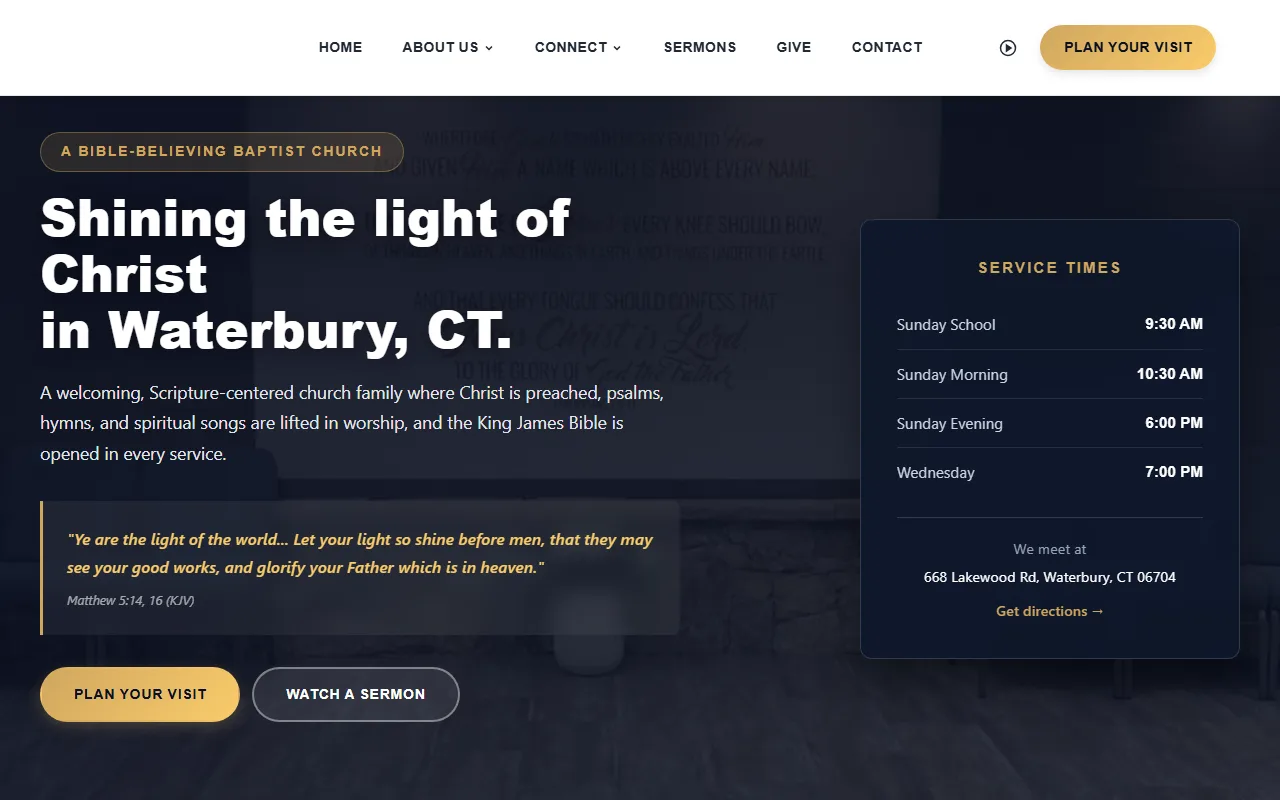
Lighthouse Baptist Church — structured data, service times in real text, mobile-first layout. See the full project →
SEO isn’t about gaming Google. It’s about helping Google show people your church when they’re already looking for one.
What This Looks Like for a Business
The mechanics are the same for a business — the audience is just different. Someone’s back has been bothering them for two weeks. They search “chiropractor back pain Richmond VA.” Two practices come up. Both have professional sites. Why does one rank above the other?
The one that ranks has invested in all three buckets. Technically, the site loads fast, works properly on a phone, and has a sitemap Google can follow. Content-wise, there are service pages that specifically describe what conditions the practice treats, with real descriptions in plain language — not just a list of service names. Authority-wise, the practice is listed accurately on Google Maps, Yelp, and local health directories, and the information matches across all of them.
The competitor has a prettier logo and a newer design, but Google can’t tell from visual design who deserves to rank first. It reads structure, text, links, and load time. Design matters to the human who lands on your page. SEO is what gets them there in the first place.
For healthcare practices in particular, the specificity of your content matters more than you might think. “We treat pain” is not a rankable phrase. “Chiropractic care for lower back pain and neck stiffness in [city]” is. The difference is whether your content answers the exact question someone is asking.
What to Actually Do About It
You don’t need to become an SEO specialist. But you do need to know enough to ask the right questions — and to tell whether your web person is doing the work that matters. Here are five practical things to check right now.
1. Google your own business name. Not your website URL — your name. Does your site come up? Does the listing look accurate? If you can’t find yourself by name, something is wrong with the basics.
2. Pull up your site on a phone. Not a tablet. A phone. Is it readable? Does the navigation work? Do the buttons have room to tap? Google evaluates the mobile version of your site first — always. If mobile is broken, your rankings will reflect that.
3. Check your Google Business Profile. Go to business.google.com and make sure your listing is claimed, verified, and complete. Hours, address, phone number, category, photos. This is often the fastest way to show up in local searches, and a surprising number of businesses either haven’t claimed their profile or have outdated information on it.
4. Ask who owns structured data. Structured data is code that can clarify public facts about a business when it matches the visible page. It can make a page eligible for the rich-result types Google supports, but it does not guarantee a display, ranking, or AI visibility. The useful question is who will implement it appropriately and keep it accurate.
5. Run a free visibility scan. The Artifex Visibility Report checks your site across 30+ elements — technical health, schema markup, mobile readiness, and more — and shows you what Google actually sees. It takes about 30 seconds and doesn’t require you to know any of the jargon we’ve been talking about. The report explains everything in plain language.
You don’t need to become an SEO expert. You need to know enough to ask the right questions — and to tell whether your web person is doing the work that matters.
— the bottom line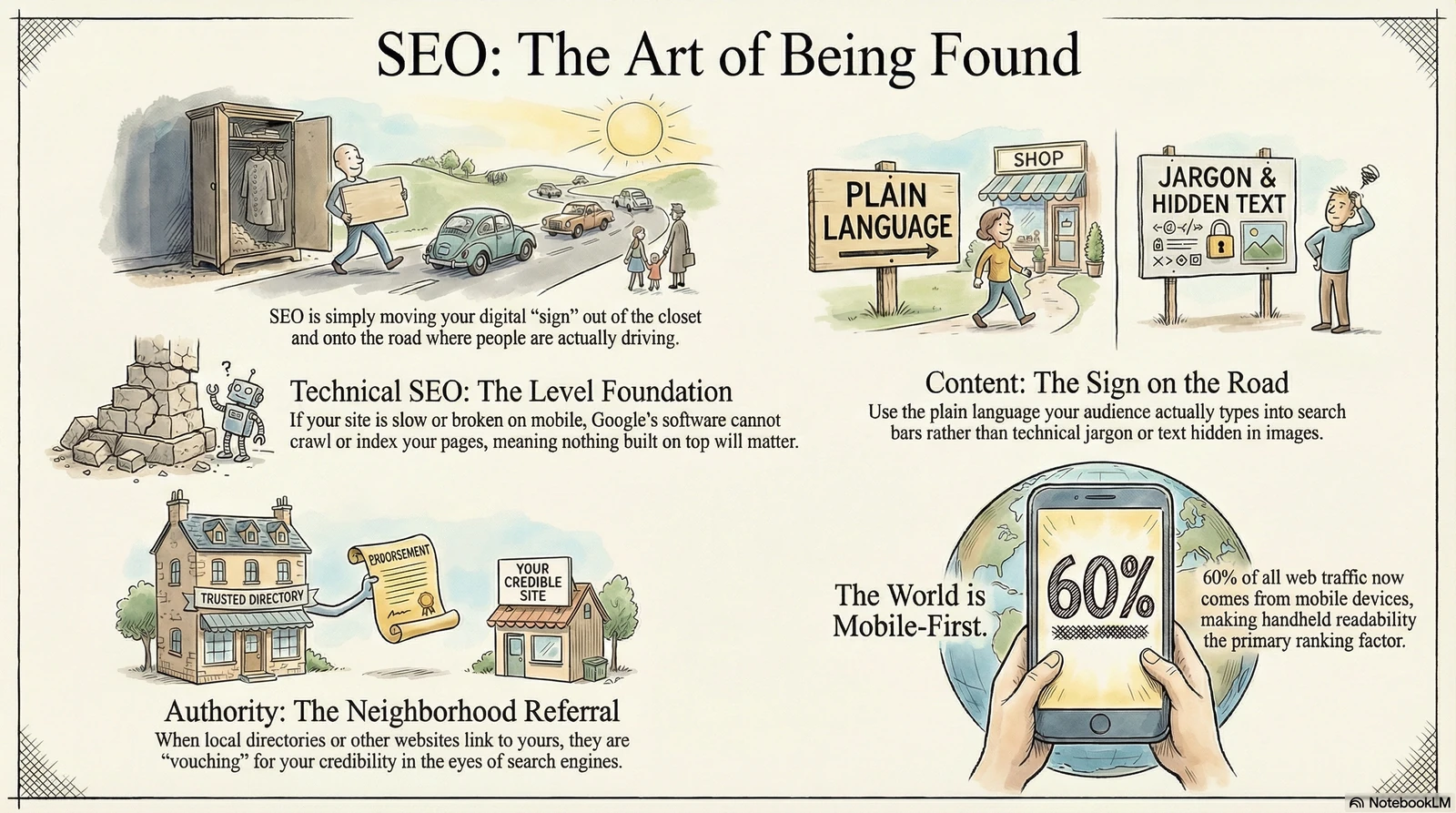
// FURTHER READING
- Google Search Essentials — The official documentation from Google on what they actually require and recommend for your site to be indexed and rank well.
- Google SEO Starter Guide — Google’s own beginner walkthrough covering the basics every site owner should understand, without the fluff.
- Moz Beginner’s Guide to SEO — One of the most-read SEO resources online. Covers keyword research, on-page optimization, link building, and tracking in accessible chapters.
- How Google Search Works — A plain-language explanation of how Google crawls, indexes, and ranks content — directly from the source.
- Mobile-First Indexing Best Practices — The technical requirements for mobile-first indexing, with practical guidance on what to check and fix on your site.
And if you would rather have someone handle all of this for you, Artifex offers SEO services in Richmond & the Tri-Cities — the same person who custom-codes the site runs the search strategy.