
Listen instead
You paid for a website. Maybe you built it yourself, maybe you hired someone. Either way, it exists. It has your business name, your services, your phone number. It looks fine when you type the address into your browser.
But when you search for your business on Google, it doesn't show up. Or it's buried on page three. Or Google shows your Facebook page instead of your actual website. You start to wonder if something is wrong with Google — or if something is wrong with you.
Neither. The issue is almost always technical. Google isn't ignoring your site out of spite. It literally cannot see key parts of it. There are specific, invisible problems that prevent search engines from understanding what your site is, what it offers, and who it serves. The good news: every one of these problems is fixable. Here are the five most common ones.
1. You Don't Have a Sitemap
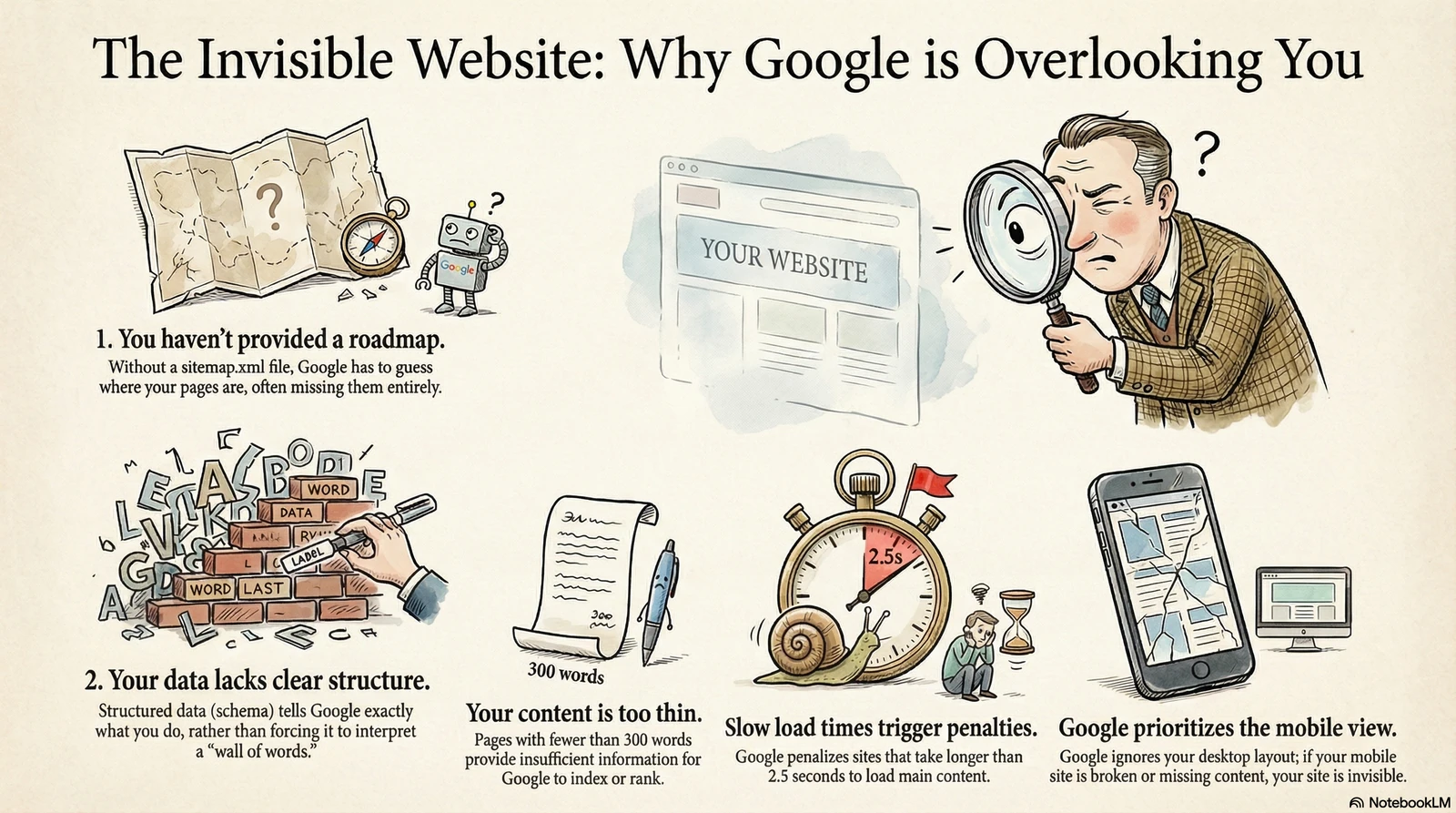
A sitemap is a simple file — called sitemap.xml — that lives on your website and acts as a roadmap for search engines. It lists every page on your site so Google doesn't have to guess what's there.
Without a sitemap, Google has to discover your pages by following links from one page to the next. If a page isn't linked from anywhere — or if the link structure is confusing — Google might never find it. A large share of pages across the web never get fully indexed by Google at all. A missing sitemap makes your odds worse.
Want to check? Open your browser and go to yoursite.com/sitemap.xml. If you see a structured list of URLs, you have one. If you see an error page, that's problem number one. Some website builders generate sitemaps automatically, but not all of them — and even the ones that do sometimes produce incomplete or broken versions.
2. Your Site Has No Structured Data
When Google crawls your website, it reads text on a page. But reading text and understanding what that text means are two different things. Structured data — also called schema markup — is code you add to your site that tells Google exactly what your business is, where you're located, what services you provide, and how to categorize your content.
Without structured data, Google sees a wall of words. With it, Google can display your business hours in search results, show star ratings, pull up FAQ answers directly, and surface your site in rich results that get significantly more clicks than plain blue links. For a church website, structured data can tell Google your service times, your denomination, and your address. For a small business site, it can highlight your services, reviews, and service area.
Most small business websites have zero structured data. That means Google is doing all the interpretation work on its own — and it's not always getting it right.
Structured data is the difference between Google seeing a wall of text and Google understanding your business. It's invisible to visitors but critical for search.
3. Your Content Is Too Thin
Google needs substance to work with. If your homepage has 80 words and a stock photo, Google doesn't have enough information to understand what you do — let alone rank you for it. Pages with fewer than 300 words are considered thin content, and they rarely rank for anything meaningful.
This is one of the most common problems with small business websites. Five pages, each with a headline and two sentences. No blog. No service descriptions. No location-specific content. Google looks at that and sees a site with almost nothing to index.
Duplicate content is the other side of this coin. If multiple pages on your site have the same text — or if your content was copied from another site — Google will either ignore the duplicates or penalize you for them. Every page on your site needs unique, substantial content that clearly explains what that page is about.
4. Your Site Is Too Slow
Google measures your site's speed using three metrics called Core Web Vitals. These aren't suggestions — they're ranking factors. If your site fails them, Google pushes you down in results.
The first is LCP — Largest Contentful Paint. This measures how fast the main content of your page becomes visible. Google wants this under 2.5 seconds. The second is CLS — Cumulative Layout Shift. This measures whether elements on your page jump around as it loads. Google wants a score below 0.1. The third is INP — Interaction to Next Paint. This measures how fast your page responds when someone taps a button or clicks a link. Google wants this under 200 milliseconds.
Right now, fewer than half of all mobile websites pass all three Core Web Vitals. The number one culprit is unoptimized images. A 2MB hero image on a church website — uploaded straight from a phone — can single-handedly tank your page speed. Compress your images, serve them in modern formats like WebP, and specify their dimensions so the browser doesn't have to guess.
5. You're Not Mobile-First
Here's something most business owners don't know: Google doesn't look at the desktop version of your website. It looks at the mobile version. This has been the case since Google completed its mobile-first indexing rollout, and it's now the default for every site on the internet.
What this means is simple. If your mobile site is missing content that exists on desktop, Google doesn't see that content. If your mobile layout is broken, Google sees a broken site. If text is hidden behind accordion menus that never get expanded by the crawler, that text might as well not exist.
Many business owners check their website on a laptop and assume everything is fine. They never pull it up on a phone. They never test the forms, the navigation, or the load time on a mobile connection. But Google does — and Google's version of your site is the mobile one.
Google indexes your mobile site first. If you haven't checked your website on a phone recently, you don't actually know what Google sees.
What Can You Do About It?
Every one of these problems is fixable — and every one of them is detectable. You don't need to learn how to write code or understand the technical details of schema markup. You need a clear picture of what's working and what isn't.
That's exactly what the Artifex Visibility Report does. It scans your site across 30+ elements — technical health, page speed, structured data, mobile readiness, and AI discoverability — and tells you, in plain language, what Google and AI assistants see when they look at your website.
Most of the issues we find take days to fix, not months. A sitemap can be added in minutes. Structured data can be implemented in an afternoon. Image compression is a one-time task. The hardest part isn't the fix — it's knowing the problem exists in the first place.
If your site has these problems and you want them found and fixed, that is exactly what our local SEO service for Richmond, VA businesses does — starting with a full technical crawl.